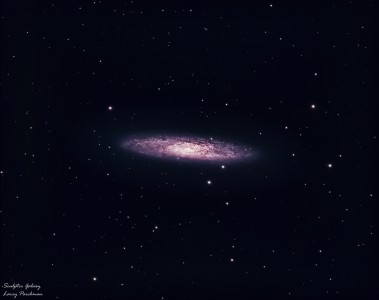
m27 final renditionPosted By Jeff Hapeman |
Larry,
I think you did a great job on the color and the image acquisition. Let me make a suggestion, however. You are clipping the left side of your histogram. You can see this here, where I am looking at the levels in PS for your whole image:
http://www.pbase.com/jhapeman/image/37254118.jpg
Note that the black curve that defines all of your data is bunched up against the left side, and chopped off.
If I select the just the middle of the nebula, it is fine:
http://www.pbase.com/jhapeman/image/37254120.jpg
A clipped histogram means that you are throwing away data; on the left side, it is the faintest data. In your case, with such a long exposure, you probably lost some faint outer halo of M27 that I bet you captured. It also makes the sky unnaturally jet black.
I hope you take this as a helpful comment; you are doing great here, and it is easy to clip the histogram in processing (especially if you mess with the brightness or contrast settings, rather than using levels or curves to adjust the image).
Jeff
I think you did a great job on the color and the image acquisition. Let me make a suggestion, however. You are clipping the left side of your histogram. You can see this here, where I am looking at the levels in PS for your whole image:
http://www.pbase.com/jhapeman/image/37254118.jpg
Note that the black curve that defines all of your data is bunched up against the left side, and chopped off.
If I select the just the middle of the nebula, it is fine:
http://www.pbase.com/jhapeman/image/37254120.jpg
A clipped histogram means that you are throwing away data; on the left side, it is the faintest data. In your case, with such a long exposure, you probably lost some faint outer halo of M27 that I bet you captured. It also makes the sky unnaturally jet black.
I hope you take this as a helpful comment; you are doing great here, and it is easy to clip the histogram in processing (especially if you mess with the brightness or contrast settings, rather than using levels or curves to adjust the image).
Jeff