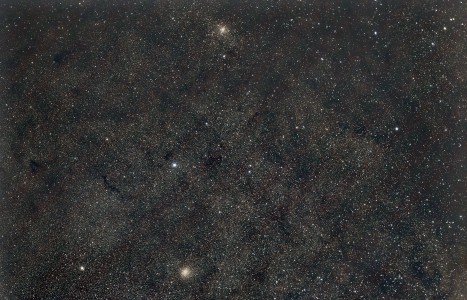
Image of the day

Captured by
Michael Scherman

Dual Clusters near Antares

My Account

New to Astromart?

Register an account...

Need Help?

MOV files of Jupiter with Canon T1i

Started by hastapalla, 10/05/2011 10:56AM
Posted 10/05/2011 10:56AM Opening Post
I have been trying to shoot MOV files of Jupiter and they come out overexposed. Has anyone else had this problem? In the past they came out fine, but now Jupiter is too bright to work with. Using a Canon T1i on the back of my C11 with eyepiece projection and a 15mm eyepiece, In the movie mode, how do you change the exposure and ISO? I thought this was automatic. What about automatic exposure lock and am I changing the exposure when I focus? Any help would be appreciated, even knowledge of a Canon user group forum.
robin
Posted 10/05/2011 03:45PM #1
I have a T1i and haven't tried shooting video of Jupiter with it but I have a couple suggestions.

One thing to try is a variable polarizing filter. I use that on the moon to reduce brightness at the eyepiece.

The second suggestion is to mask the off the C11's objective in order to reduce the amount of light being delivered at the eyepiece.

I don't believe there is a way to disable the automatic exposure setting when taking HD video with the T1i since doing so implies you would set the exposure manually. This would not be a good thing to do in video as lighting conditions can (and do) change frequently over the course of any video recording.

Hope this helps.

Weiman