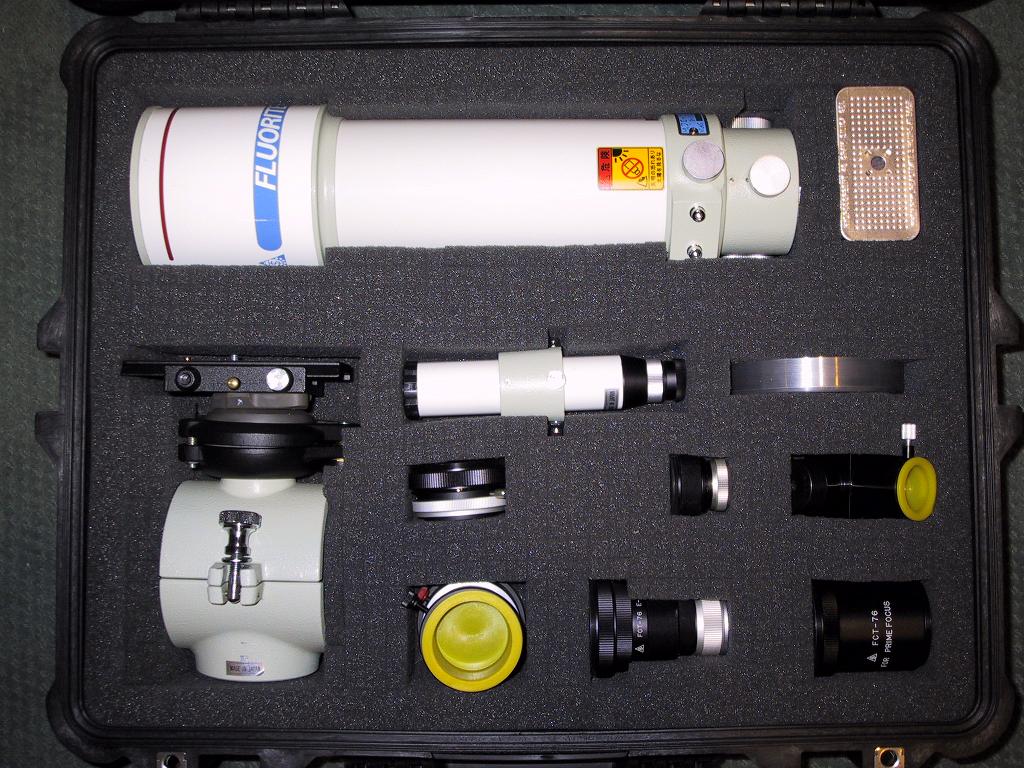
Take the pluck foam layer out of the case. Lay out your equipment on the surface. Use tooth picks to stake the corners of each item and create an outline of each part. It's best to leave two rows of squares between items.
Using your fingers, pull apart the tops of squares along the lines between tooth picks until you have separated the top of the whole pattern. Now using 1-4 fingers, separate the foam all the way to the bottom along each line. Just work your hand down to the bottom breaking the seams as you go. Try to keep the plug intact.
When you have the plug all separated, pull it out through the bottom a little ways. Place your item in the hole on the top, and adjust the plug down or up until the item is at the desired height. Now remove the item, take a pair a sharp shears, and cut off the part of the plug sticking out of the bottom. Hold onto this piece in case you need to make fixes at some later time.
You may need to get more elaborate for items with more complex shapes. For example, for the finder plus bracket in the photo, I removed the center section of the plug after I had cut it to height to fit the finder, so that I could accommodate the stem of the bracket. Then I snipped out the tops of two squares for the two top adjustment screws.
Pelican also sells desiccant canisters, and I've been leaving room for one of these in my cases, too.
That's the basic idea.
Attached Image: